
Product

Four steps from
“it’s broken” to “it’s fixed”.

A tester shows the bug. Aproow writes it up. Your own coding agent proposes the fix on your machine. You decide what stays.

Free plan · Works with Claude Code and Codex and others

01 · capture

A tester shows it. Nobody has to describe it.

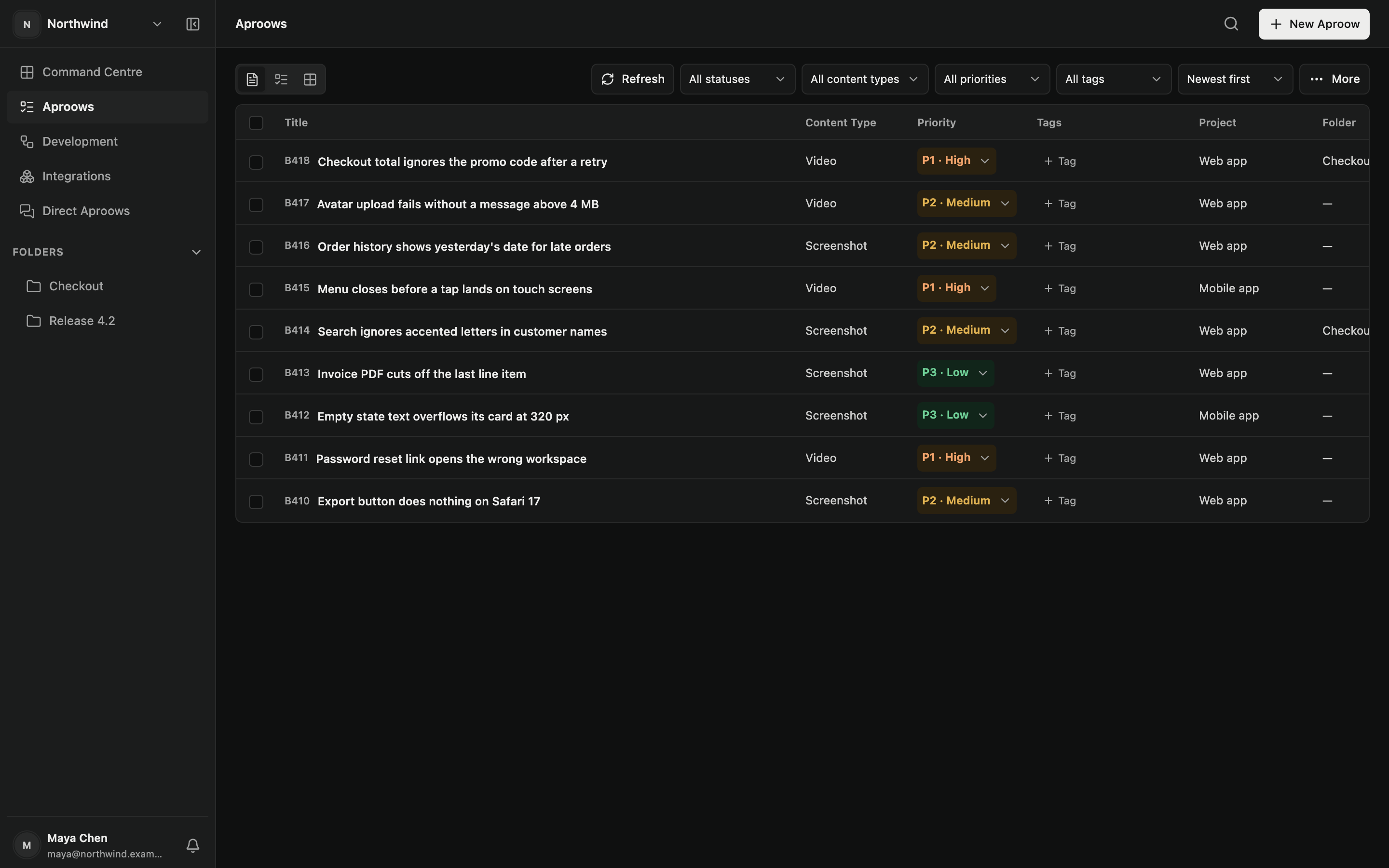
The Chrome / Chromium extension captures a screenshot or browser-session replay, with optional narration. Review the evidence and your explanation before submitting.

  • Browser-session replay, full or area screenshot, optional narration
  • Console events, network metadata, clicks and navigation
  • Page address, browser, system and screen size
  • Accept the first-use disclosure, then choose Record or Screenshot
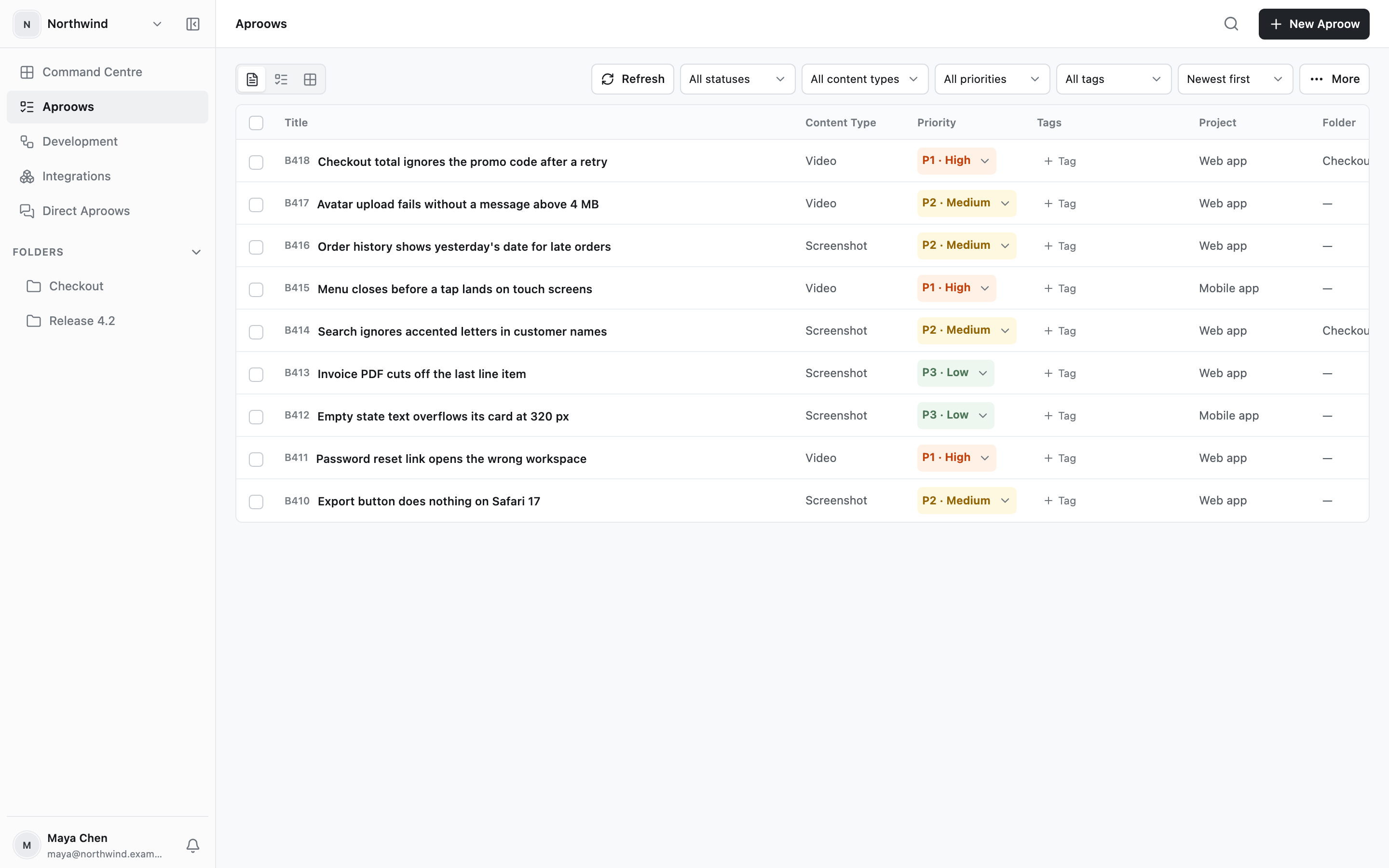
The Aproows list in the web app, one row per report with content type, priority, project and folderThe Aproows list in the web app, one row per report with content type, priority, project and folder
02 · understand

Read the bug in a minute.

On Professional and Engineer, Aproow adds a structured AI write-up and voice transcript. Free keeps capture and evidence review. Raw evidence and generated interpretation remain separate. AI conclusions are hypotheses for the developer to verify.

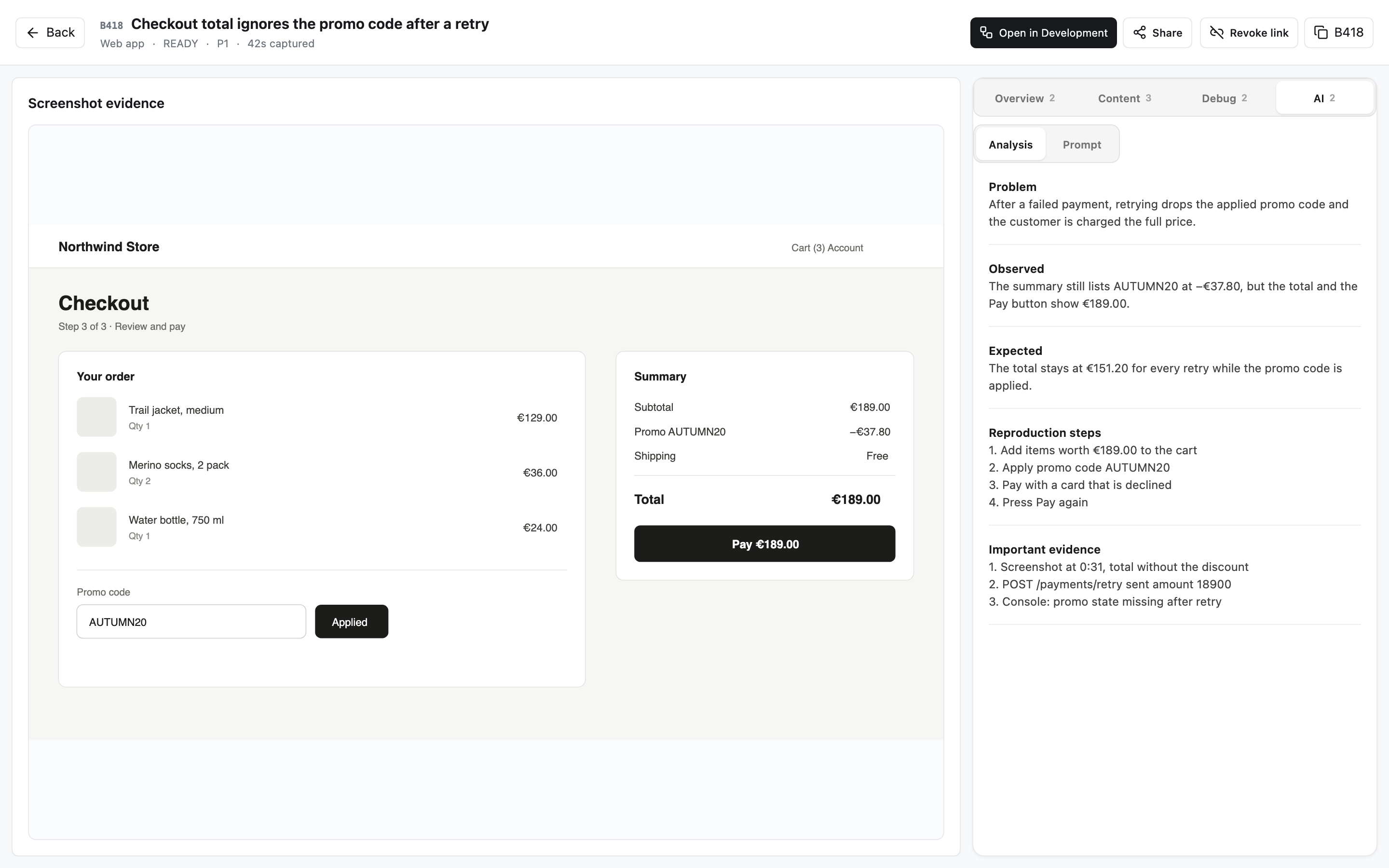
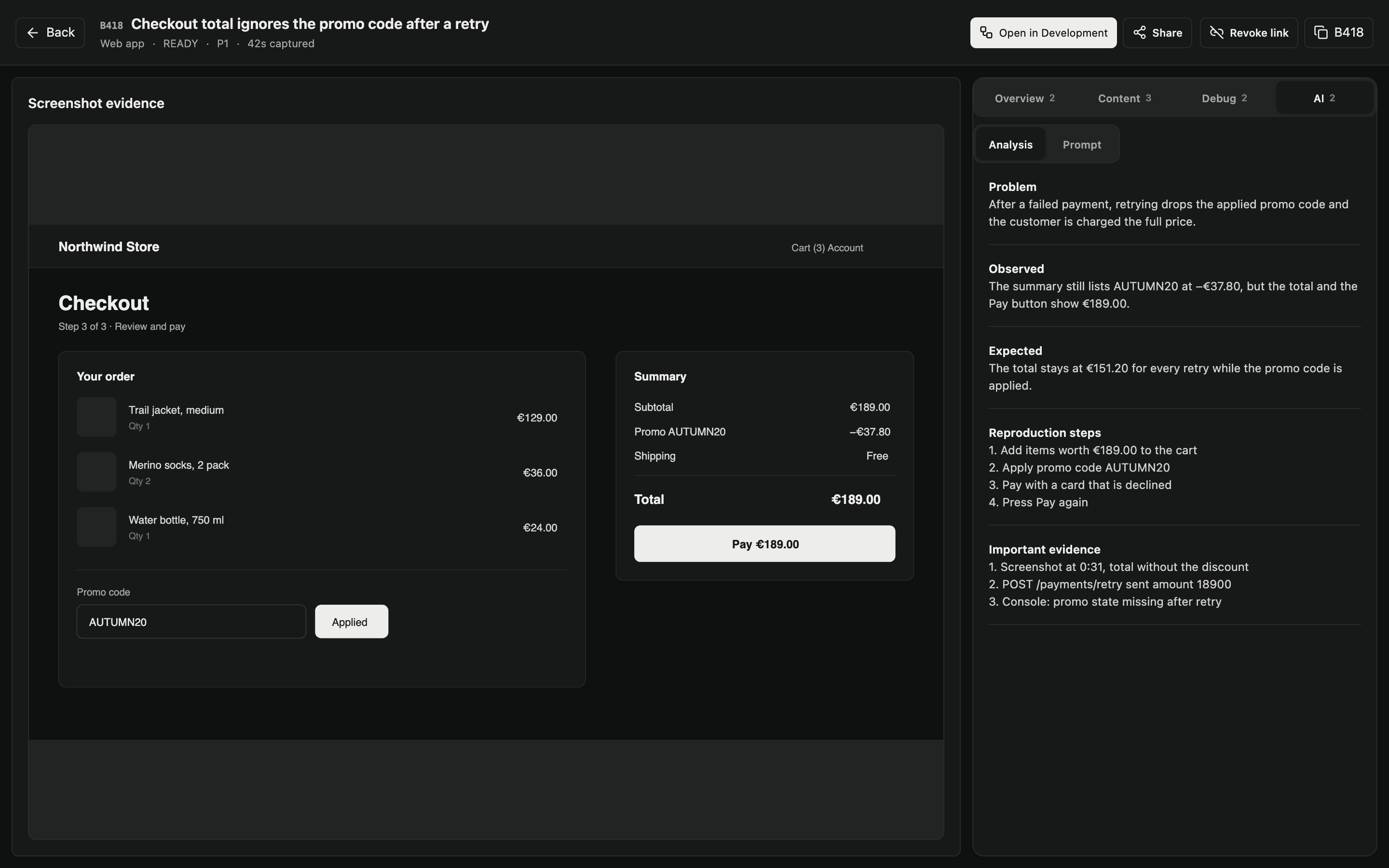
  • Problem, observed, expected and steps to reproduce
  • The transcript, actions, console and network one tab away
  • A number such as B418 that everyone can refer to
  • Scoped sharing for authorised recipients
One Aproow: the captured checkout page with an incorrect total, beside the written-up problem and stepsOne Aproow: the captured checkout page with an incorrect total, beside the written-up problem and steps
03 · plan

The plan is written where the code is.

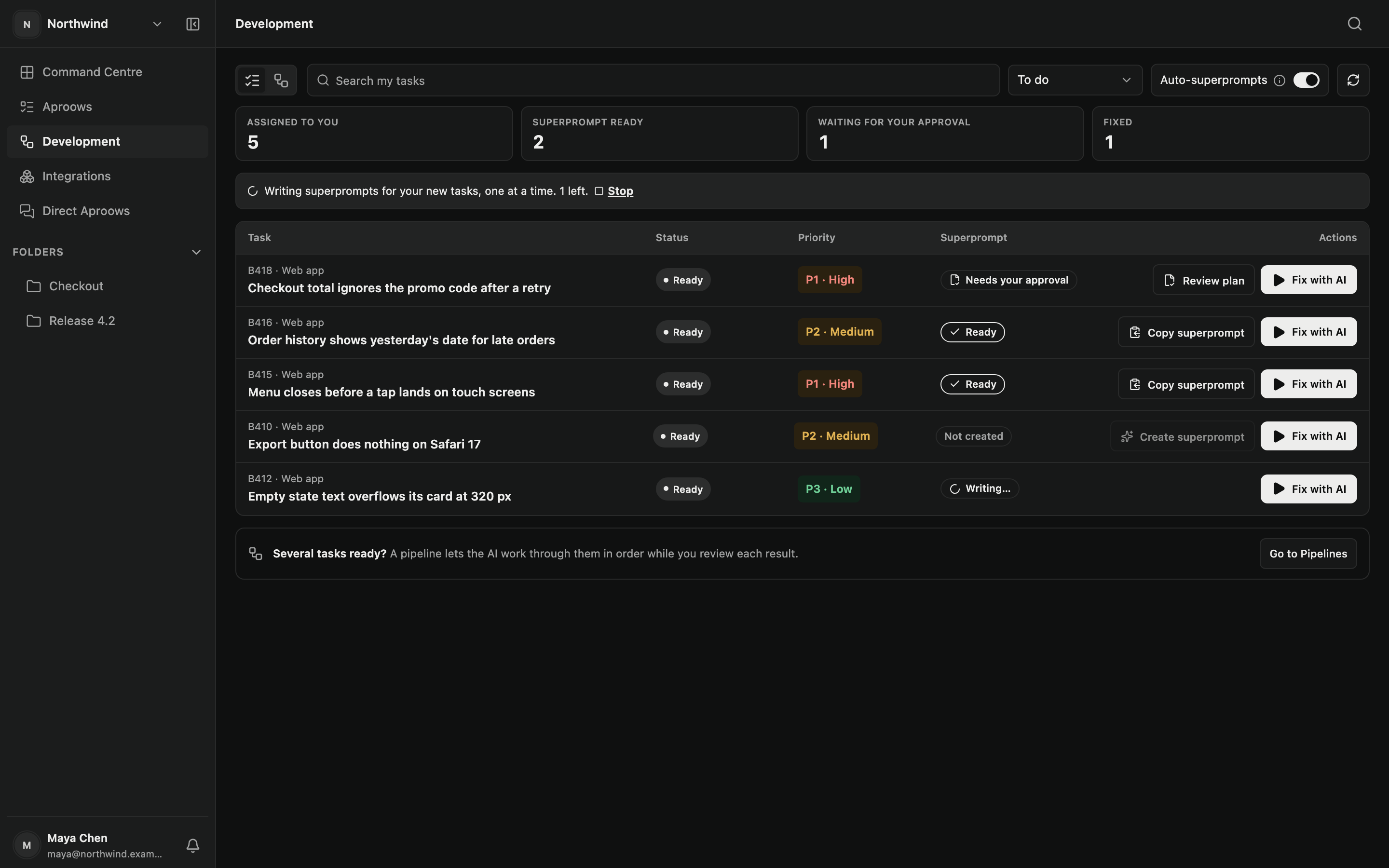
Engineer opens Development for assigned tasks. Request a Protected plan through the paired Runtime; the chosen worker investigates the mapped repository locally.

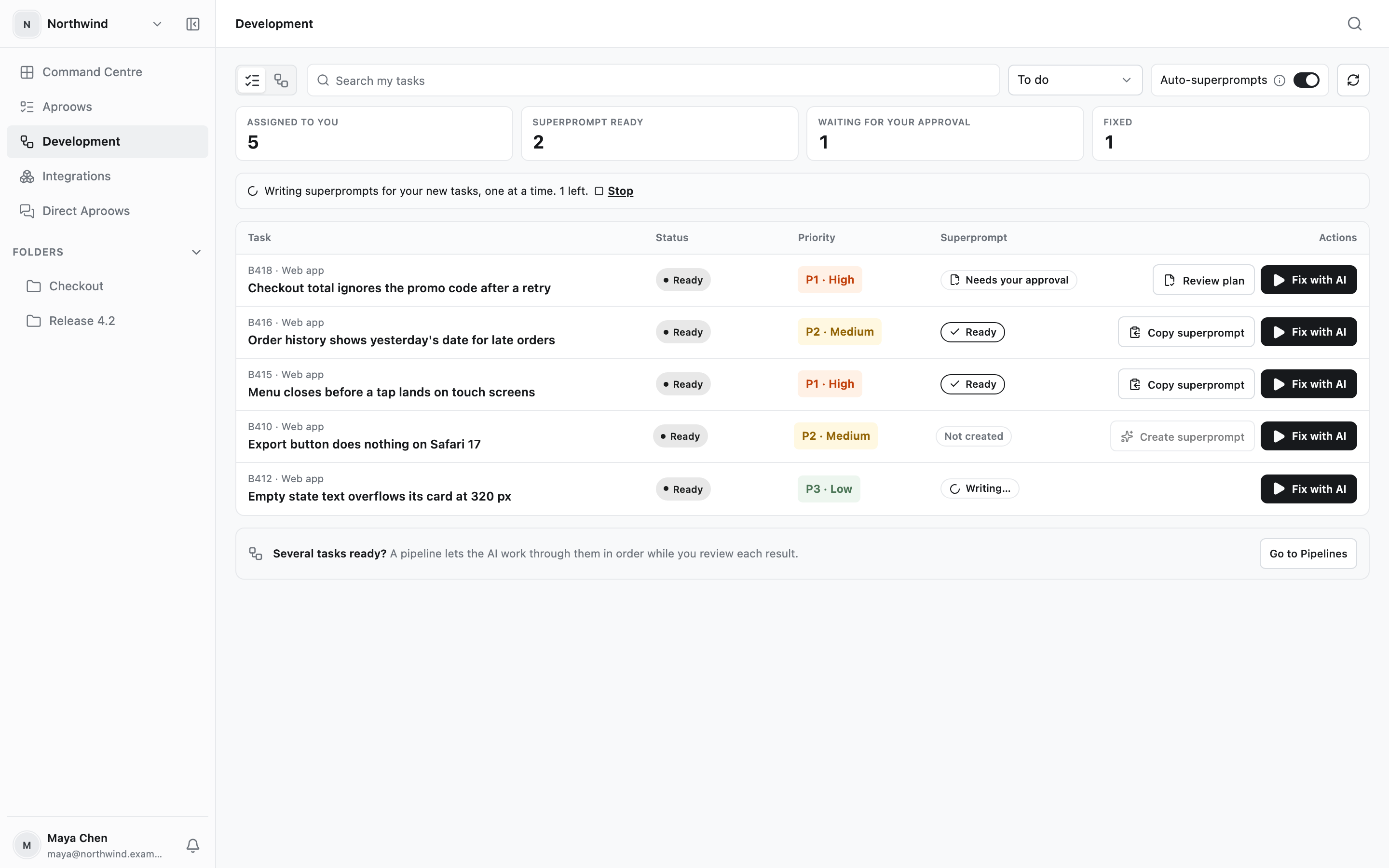
  • One queue of the tasks that are yours
  • Automatic plan drafting is optional and off by default
  • Fix with AI starts your chosen Claude Code or Codex worker
  • An approved plan is locked to its version and commit
The Development page: tasks assigned to you with the state of each plan and a Fix with AI buttonThe Development page: tasks assigned to you with the state of each plan and a Fix with AI button
04 · fix

Hand over several tasks. Keep what is right.

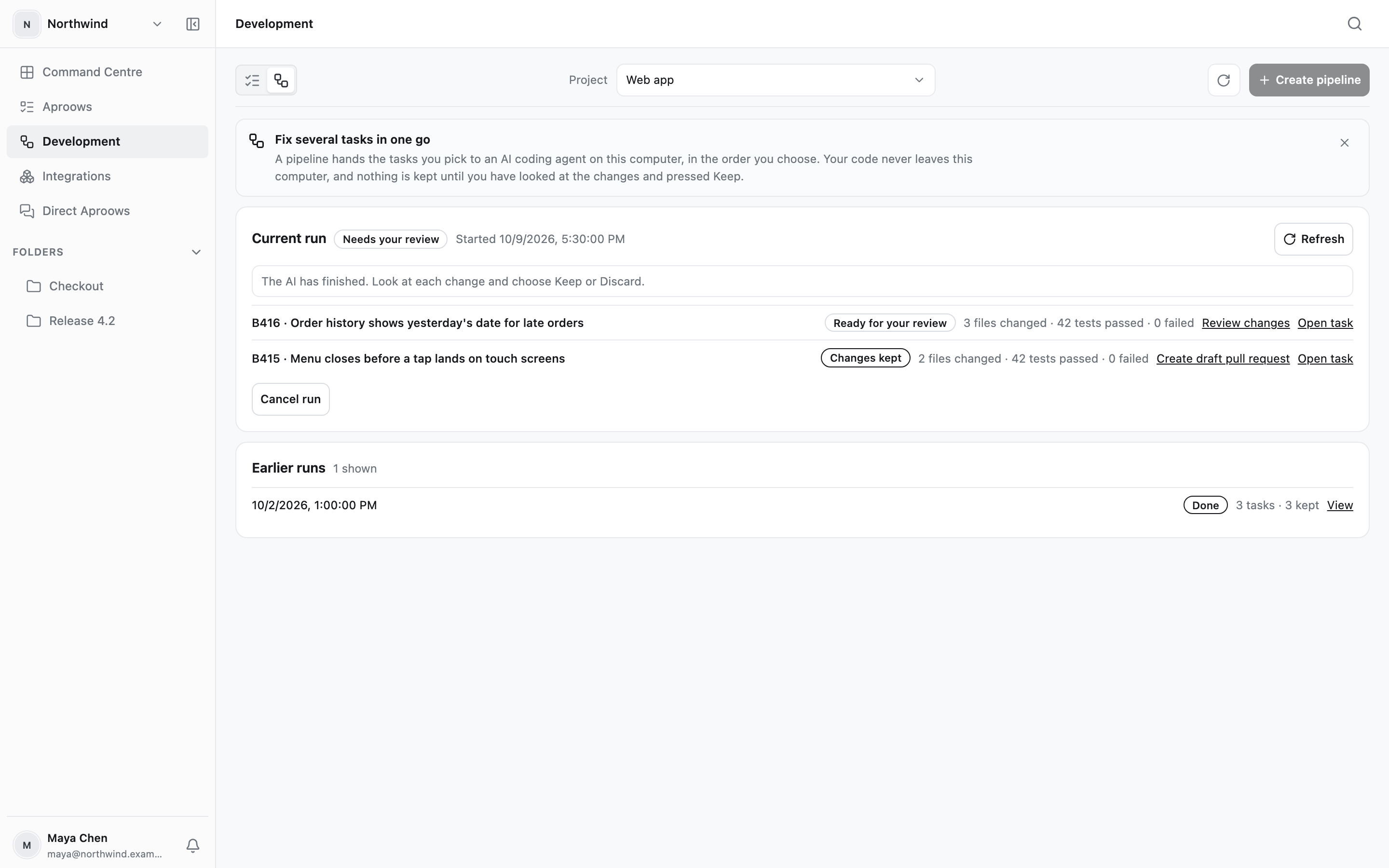
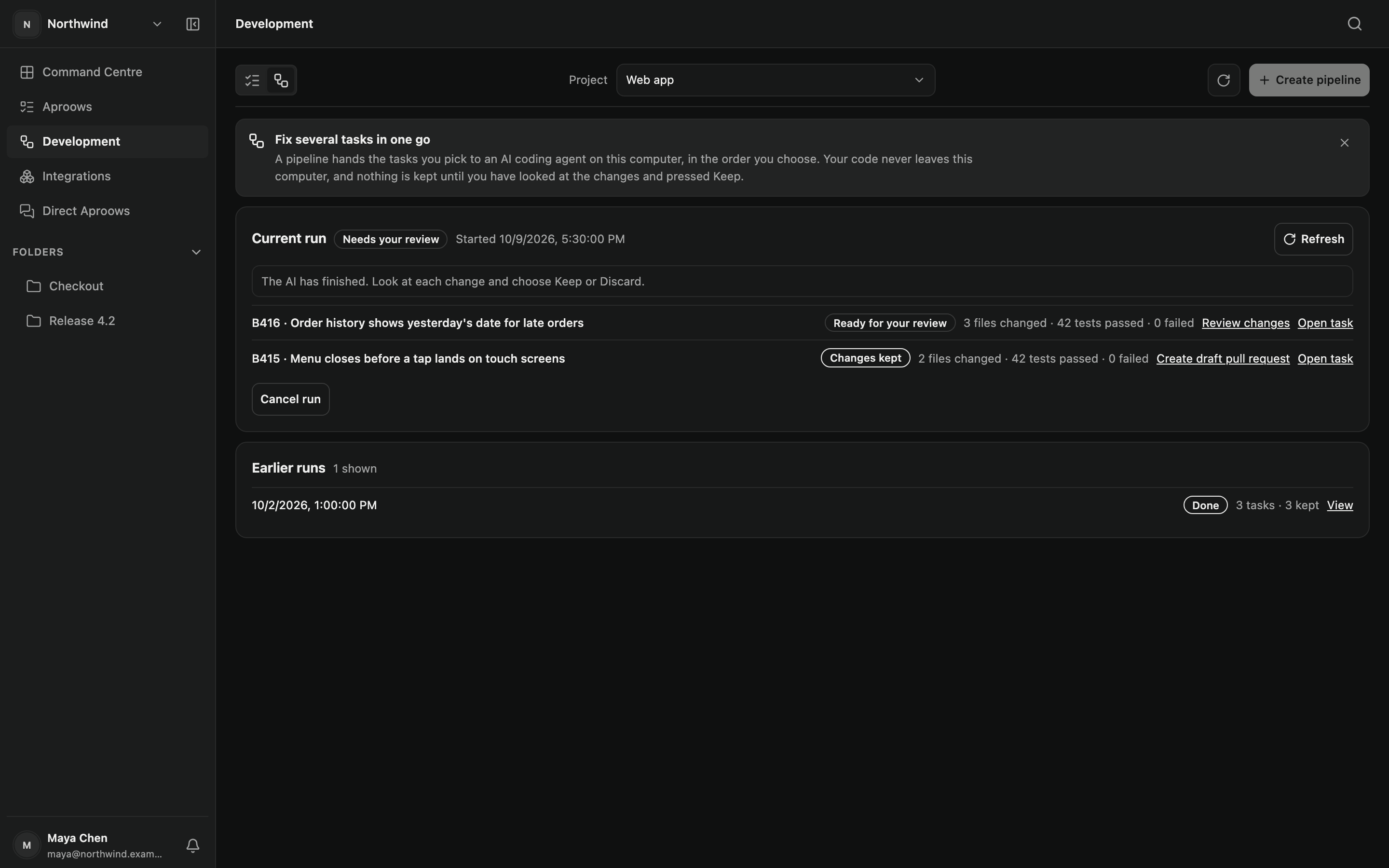
A pipeline gives your agent a list of approved tasks and runs them one after another in separate copies of your code. Then it waits for you.

  • APPLY does not authorize a commit, push, merge or deployment
  • Inspect changed-file counts and reported check results
  • Review the diff, then Keep or Discard
  • Commit and PR workflows are separate downstream actions
A finished pipeline run waiting for review, with files changed and tests passed for each taskA finished pipeline run waiting for review, with files changed and tests passed for each task
Also · Trello

Work that starts as a card.

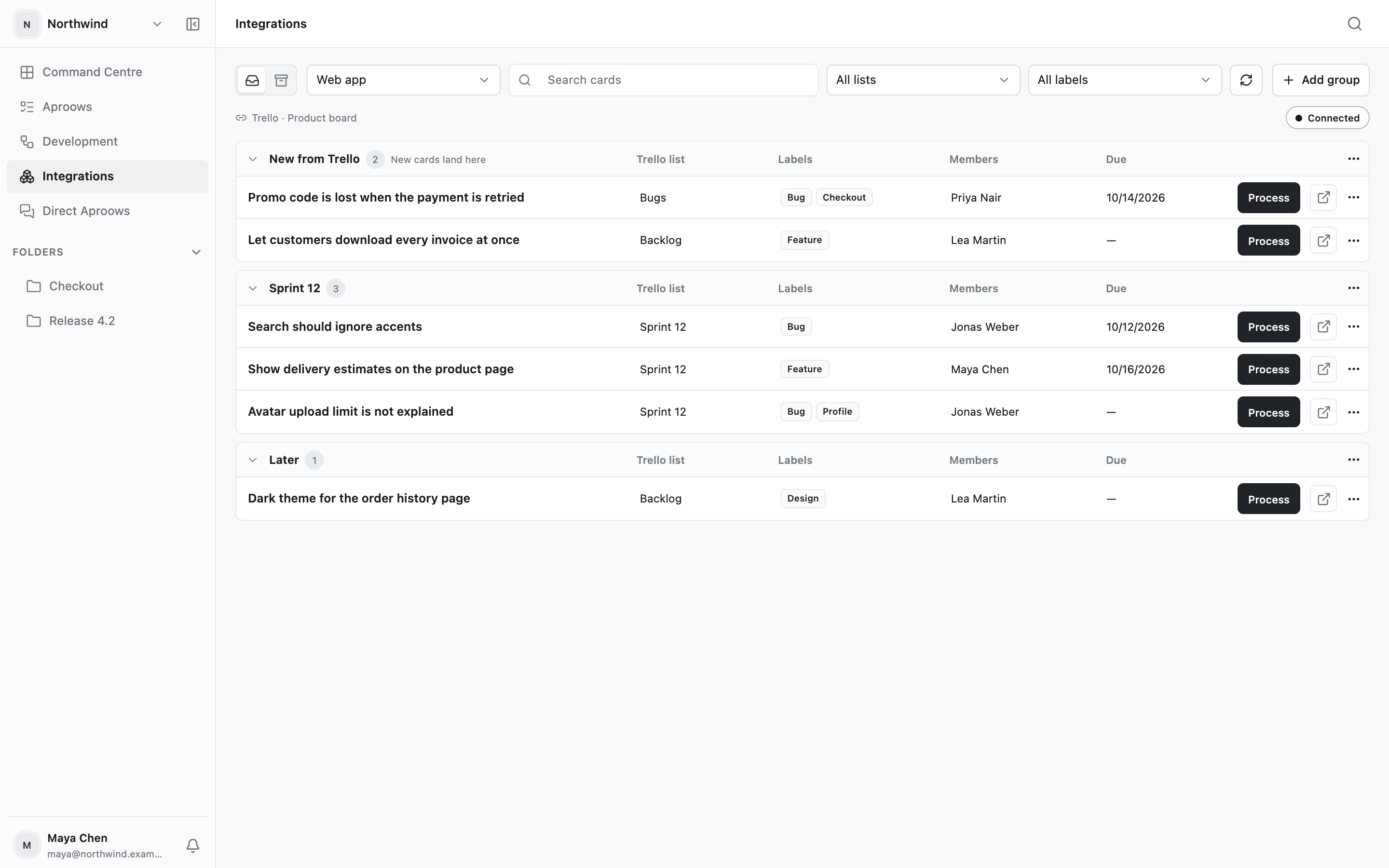
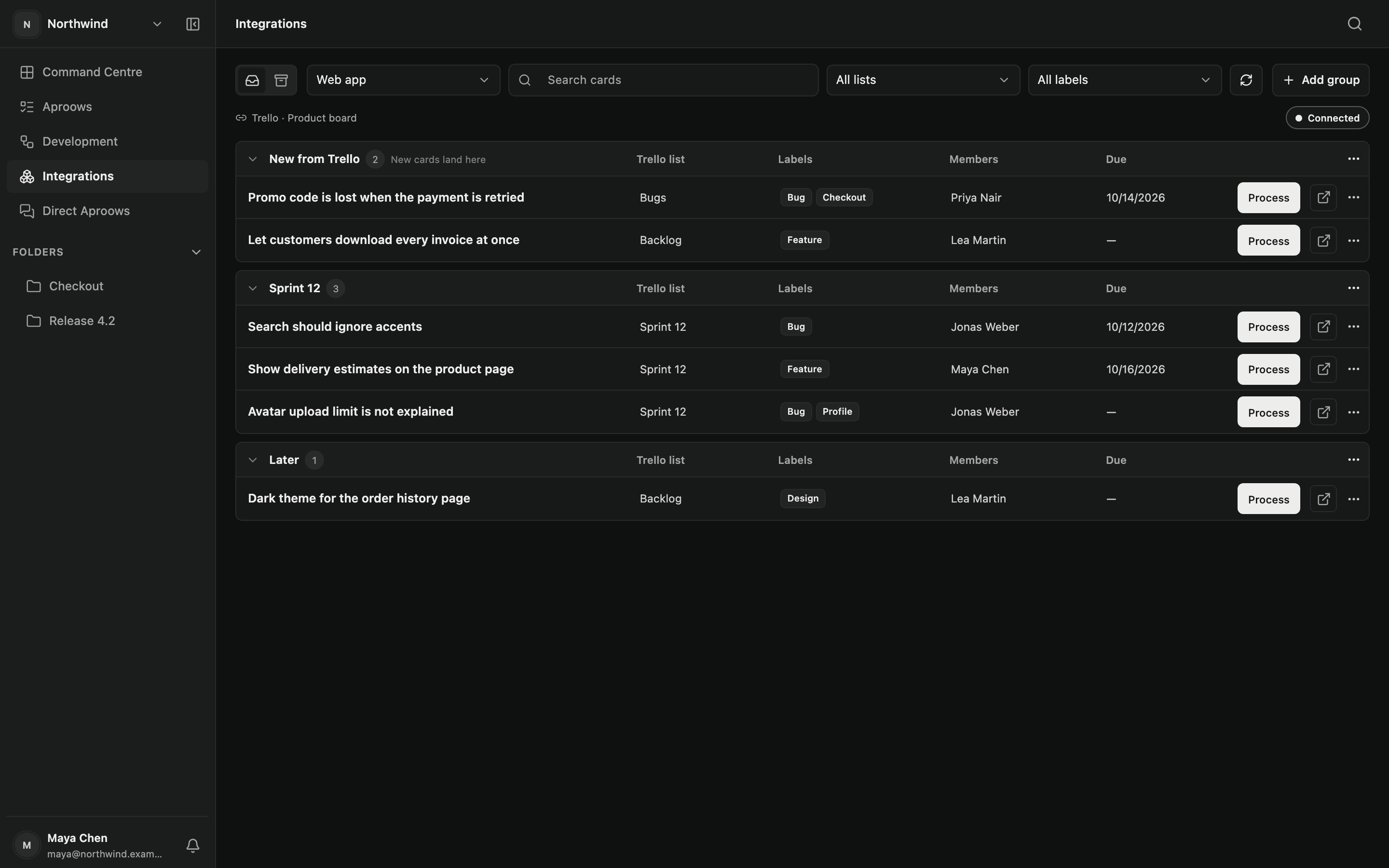
Connect a project’s Trello board to browse its open cards and organise them in Aproow. Process performs local analysis and creates an Investigation; it does not create an implementation plan or change the Trello card.

Owners, Admins and Integration Managers can use the board. Professional includes browsing; Engineer, a mapped repository and a ready Runtime are required for Process.

Trello cards grouped by sprint, each with a Process buttonTrello cards grouped by sprint, each with a Process button
MCP

Seven tools for compatible AI clients.

Connect a compatible AI client through local STDIO MCP and pair it to a workspace. It can read authorised task context and report independent work. MCP does not invoke Plan or APPLY, expose local tools or accept source code and diffs.

aproow.list_investigations

The Aproows that are ready for work.

aproow.get_investigation

One Aproow: problem, observed, expected, steps.

aproow.get_evidence

Console, network and action logs, cleaned for an agent.

aproow.get_transcript

What the reporter said, word for word.

aproow.start_work

Tell the team an agent has picked the task up.

aproow.update_status

Report progress while the agent works.

aproow.submit_result

A short summary, test results and changed file names.

What a tester recorded is treated as data, never as instructions to your tools.

Project Intelligence · Engineer

Repository context,
without a Cloud clone.

Request a manual refresh through your paired Runtime. It inspects the mapped repository and uses your selected API model to build navigation, architecture and test hints. Cloud receives the validated report, not repository files. A failed refresh keeps the last successful version.

UI Library

Point to the component
you’re reporting.

Configure your workspace’s shadcn/ui library with Radix, Base UI or React Aria. In Capture Review, choose up to 25 component or variant references. Those references travel with the Investigation and remain separate from the evidence and AI interpretation.

Stop losing context.
Start shipping.

Join small teams, founders and builders who use Aproow to keep their product moving.

Start free